Takes for Mac
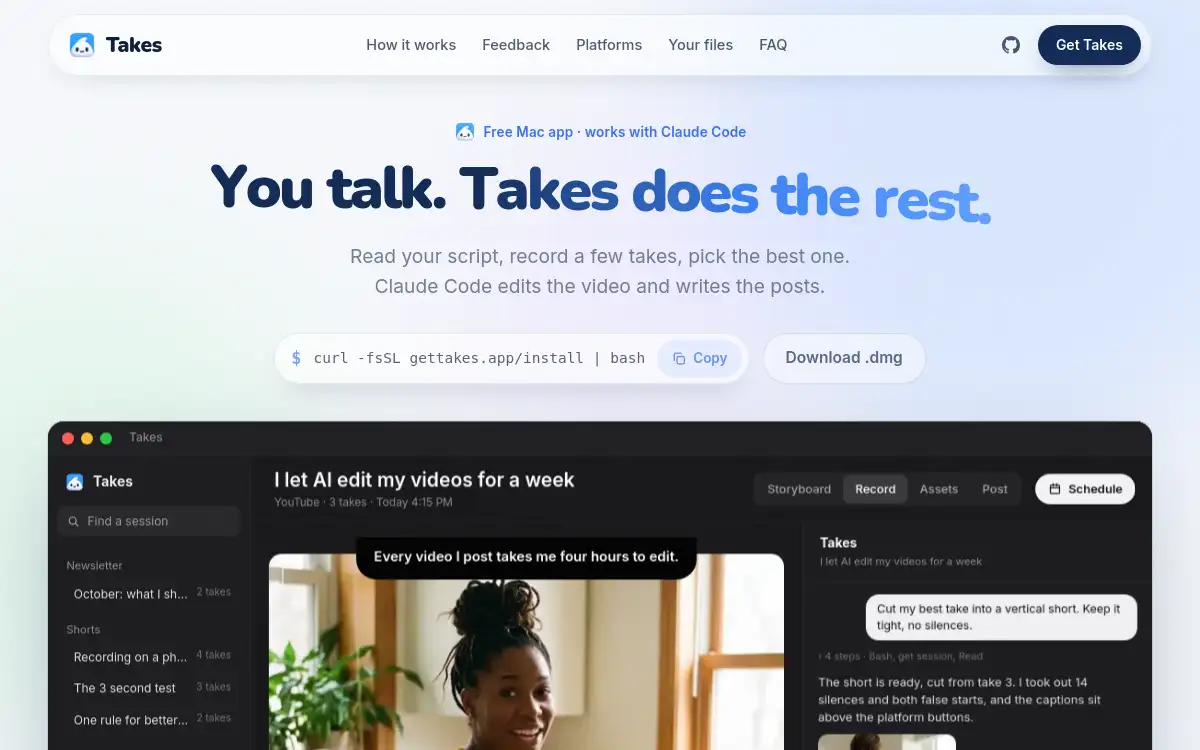
Open SiteA free Mac app for recording talking-head videos with a voice-following teleprompter, then letting your local AI agent cut, caption, and draft posts.
Added on October 22, 2026
Product Information
What is Takes for Mac?
Takes for Mac is an open-source Mac app for creators who record camera-and-screen talking-head videos. It pairs one-button capture with a teleprompter that follows your voice, stores takes as plain folders, and hands editing to your own AI agent (Claude Code, Codex, or similar). Notes you leave on frames become reusable rules so later edits stay consistent. Files stay on your machine; no account is required.
How to use Takes for Mac?
- Install Takes on Apple silicon macOS and connect the AI agent you already pay for.
- Write or load a script; use the teleprompter beside the lens while you record camera and screen together.
- Review takes in the folder view and leave frame notes where pacing or framing should change.
- Ask your agent to cut silences, make a vertical cut, add captions, and draft social posts.
- Keep or discard versions—older cuts stay so you can compare.
Core Features
- One-button capture — Records camera and screen together without wrestling OBS settings.
- Voice-following teleprompter — Keeps the script near the lens and scrolls with your speech.
- Plain-folder takes — Every take and script lands in ordinary folders you can open elsewhere.
- Agent-driven edit — Your local AI agent cuts, reframes to :, captions, and drafts posts.
- Frame notes to rules — Feedback on a cut becomes lasting rules for future edits.
- Version history — New cuts do not overwrite old ones, so you can roll back.
- Offline-first — Free, MIT-licensed, no account; media stays on your Mac.
Use Cases
- Solo creators recording product demos or tutorials without a full editing suite.
- Founders shipping launch clips who want AI help but keep files local.
- Educators producing talking-head lessons with captions and short vertical cuts.
- Teams standardizing edit notes into reusable agent rules across videos.