HOL Plugins
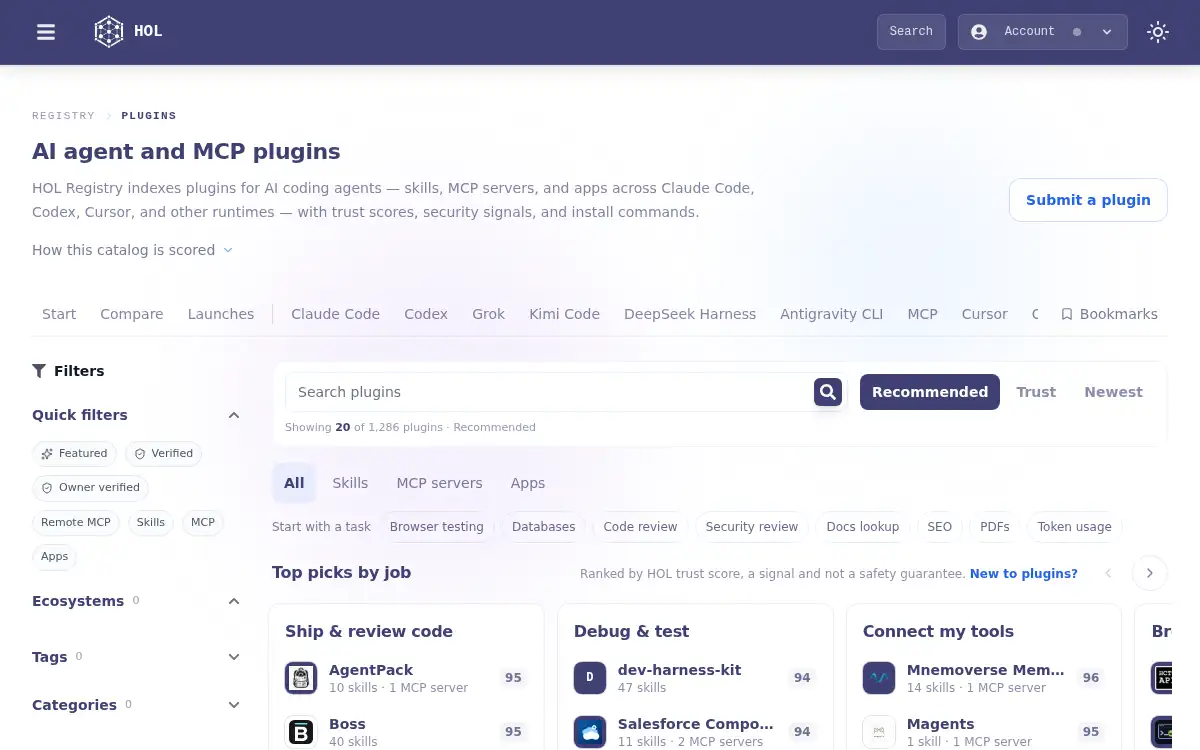
Open SiteHOL Plugins is a ranked catalog of AI agent and MCP plugins across Claude, Codex, Cursor, and other coding-agent runtimes. Filter by ecosystem, compare trust and publisher verification, and copy install guidance for each plugin.
Added on November 9, 2026
Product Information
What is HOL Plugins?
HOL Plugins is a public directory of plugins for AI coding agents and MCP runtimes, including Claude Code, Codex, Cursor, Grok, Kimi Code, DeepSeek Harness, Antigravity CLI, and OpenCode. It indexes skills, MCP servers, and apps so developers can search, filter by runtime, and compare trust scores, security signals, and publisher verification from one catalog. Each listing includes per-runtime install commands generated for that plugin's ecosystems. Indexed plugins carry scanner-backed security signals, but a scan is not a safety guarantee and does not mean a plugin is safe to install. Listing a public GitHub repository is free; optional sponsored placements are labeled and do not change search or recommended order.
How to use HOL Plugins?
- 1. Open hol.org/plugins and browse or search the ranked plugin catalog
- 2. Filter by ecosystem, kind (skills, MCP servers, or apps), tags, or sort order such as recommended, newest, or trust
- 3. Open a plugin page to compare trust score, security signals, and publisher verification
- 4. Copy the install command for your runtime, such as Claude Code, Codex, Cursor, or an MCP client
- 5. Optionally submit your own public GitHub repository through the HOL submit flow
Core Features
- • Ranked AI plugin catalog — Browse plugins across major coding-agent ecosystems from one directory
- • Multi-runtime coverage — Claude Code, Codex, Cursor, Grok, Kimi Code, DeepSeek Harness, Antigravity CLI, OpenCode, and MCP
- • Trust and security signals — Compare scanner-backed scores and publisher verification before you install
- • Per-plugin install guidance — Copy runtime-specific install commands from each listing
- • Filters and search — Narrow results by ecosystem, kind, tags, and recommended, newest, or trust order
- • Free listing — Submit a public GitHub repo; optional sponsored spots are labeled and do not change search order
- • Clear safety caveat — A scan is not a safety guarantee
Use Cases
- • Developers choosing a Claude Code, Codex, or Cursor plugin with comparable trust signals
- • Teams looking up MCP servers and install commands from one directory
- • Plugin authors listing a public GitHub repository in the HOL Registry
- • Anyone comparing security and publisher-verification signals before installing an agent plugin
- • Users filtering plugins by job, such as code review, testing, docs, or safety