Kyvenza
Open SiteKyvenza is a native virtual machine app for Apple Silicon Macs. It runs Windows 11 on ARM with TPM 2.0 and Secure Boot, plus macOS ARM and Linux ARM guests, for a $49 one-time license and a 7-day free trial.
Added on November 11, 2026
Product Information
What is Kyvenza?
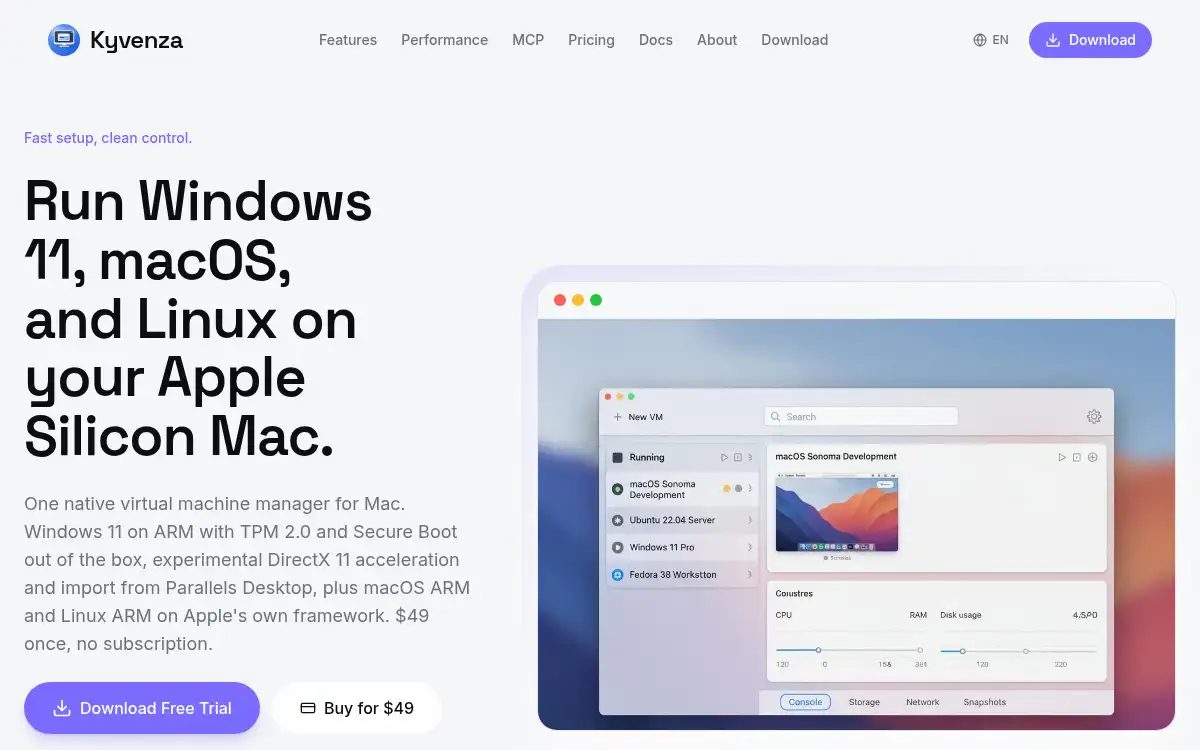
Kyvenza is a Mac-first virtual machine manager built on Apple's Virtualization framework rather than x86 emulation. It is made for M1 through M5 Macs running macOS 14 or later, and it can create, configure, snapshot, clone, and run Windows 11 on ARM, macOS ARM, and Linux ARM from one graphical workspace. Windows 11 installs with TPM 2.0 and Secure Boot on by default; you supply Microsoft's official ARM64 image and your own licence. Since version 4.0 it offers experimental DirectX 11 GPU acceleration and can import existing Windows VMs from Parallels Desktop. Linux guests such as Ubuntu, Debian, Fedora, and Alpine can be fetched from official ARM64 installers with checksum checks, or you can attach your own ISO. The app is sold as a $49 perpetual licence with a 7-day free trial and a 14-day refund, not a subscription.
How to use Kyvenza?
- 1. Download Kyvenza from kyvenza.com and install it on an Apple Silicon Mac running macOS 14 or later
- 2. Start the 7-day free trial, or buy the $49 one-time licence if you already want the full app
- 3. Create a new VM and choose Windows 11 on ARM, macOS ARM, or a Linux ARM distribution
- 4. For Windows, attach Microsoft's official ARM64 image and your own licence; for supported Linux distros, let Kyvenza fetch a pinned installer, or attach your own ARM64 ISO
- 5. Assign CPU and memory, start the guest, and use snapshots or clones when you need a rollback or a clean copy
Core Features
- • Windows 11 on ARM — TPM 2.0 and Secure Boot are on by default, with drivers shipped in the app
- • macOS and Linux ARM guests — Run isolated macOS or Linux environments on Apple Silicon
- • Native virtualization — Guests run on Apple's ARM virtualization, not x86 emulation
- • VM editor — Create, configure, snapshot, clone, and switch machines in a graphical workspace
- • Parallels import — Version 4.0 can import existing Windows VMs from Parallels Desktop
- • Experimental DirectX 11 — Windows can use the Mac GPU for everyday tools, not heavy 3D or CAD
- • One-time pricing — $49 perpetual licence, 7-day free trial, and a 14-day refund
Use Cases
- • Developers who need isolated macOS or Linux environments for builds and debugging
- • QA teams testing an app across OS versions without extra hardware or dual-boot setups
- • Security work that should stay inside a sandboxed VM, including untrusted code or research
- • Client demos that start from a clean, pre-configured guest each time
- • People who want to run a high-permission AI agent in a guest so it cannot reach host files or keys