Murmell
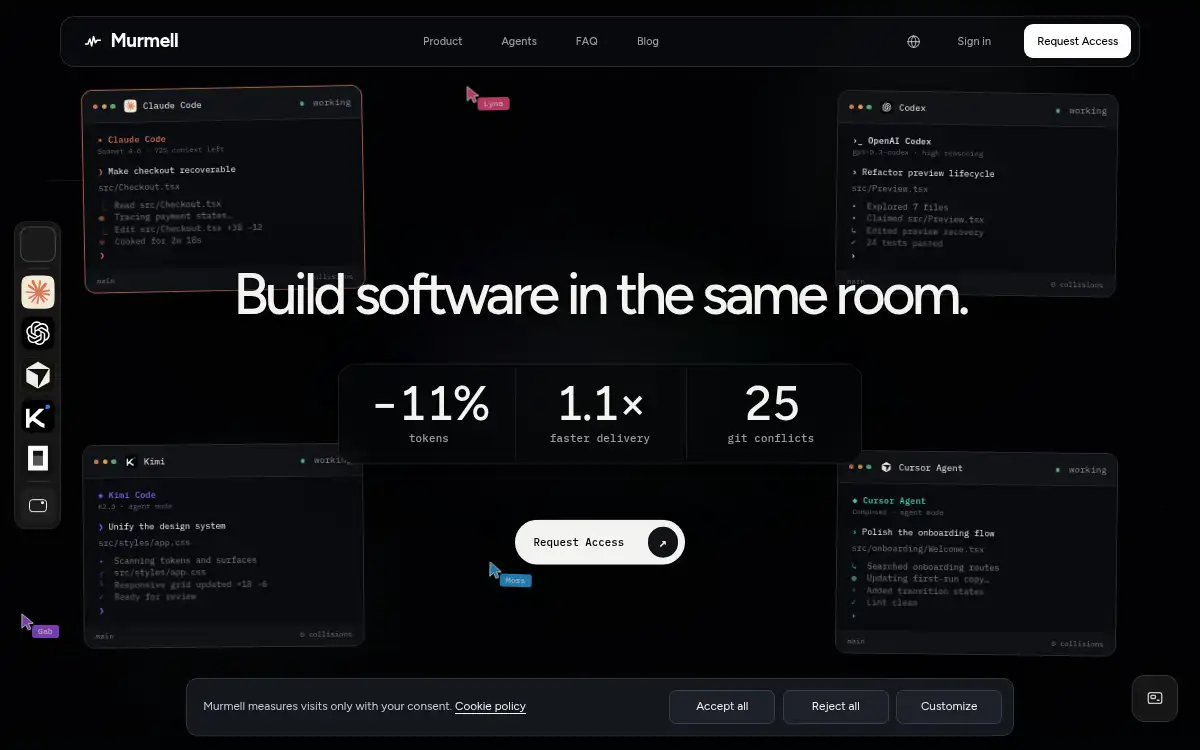
Open SiteMurmell is a shared cloud canvas where teammates and AI coding agents work on the same repository with live terminals, previews, file claims, and git-backed output.
Added on September 10, 2026
Product Information
What is Murmell?
Murmell is a cloud workspace for teams that want people and AI coding agents to work together without stepping on each other. It provides a shared canvas with live terminals, repository context, preview support, and multiple agents such as Claude Code, Codex, Kimi, and OpenCode. Agents can claim files before editing, which makes concurrent work easier to coordinate and reduces accidental overwrites. The product fits the growing need for agentic engineering spaces where work remains visible, auditable, and grounded in git.
How to use Murmell?
- Create a Murmell account and open or connect a software project repository.
- Invite teammates who need to see the same canvas, terminals, and preview state.
- Start one or more supported coding agents for specific implementation tasks.
- Let agents claim files before writing so parallel work avoids avoidable conflicts.
- Review the resulting changes and land the completed work back into git.
Core Features
- Shared cloud canvas - Gives a team one live workspace for terminals, agents, cursors, and previews.
- Multi-agent support - Runs tools such as Claude Code, Codex, Kimi, and OpenCode in parallel.
- File claiming - Marks paths before agents edit them to reduce overwrites and merge conflicts.
- Git-backed output - Keeps completed work tied to repositories instead of trapped in a proprietary workspace.
- Live preview workflow - Lets collaborators inspect app changes while agents are still working.
- Always-on cloud work - Allows agent sessions to continue after a user closes their laptop.
- Team visibility - Makes parallel human and AI work easier to observe and coordinate.
Use Cases
- AI engineering teams - Coordinate several coding agents and human reviewers in one workspace.
- Remote collaboration - Share live terminal and preview state instead of passing screenshots around.
- Conflict reduction - Prevent agents from editing the same files blindly during parallel tasks.
- Repository-based delivery - Keep experimental agent work connected to normal git review flows.