Tale
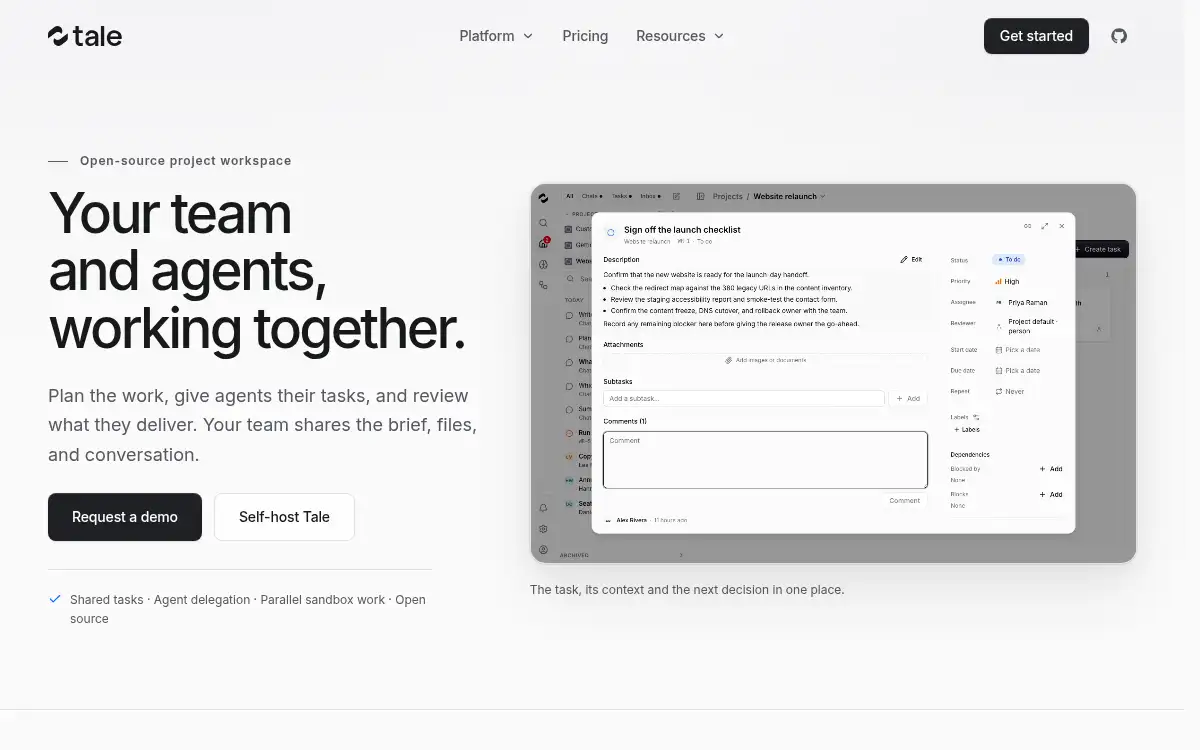
Open SiteTale is an open-source project workspace where teams and AI agents share tasks, files, and reviewable deliverables. You can self-host it, plug in runtimes such as Claude, Codex, Gemini, or Cursor, and keep work in persistent sandboxes.
Added on November 14, 2026
Product Information
What is Tale?
Tale is an open-source workspace for planning work with teammates and delegating tasks to AI agents in the same place. Projects hold the brief, files, conversation, and board. Agents run in persistent sandboxes with the runtime and model you choose — Claude, Codex, Gemini, Cursor, and others — using your own subscription or API keys. You can review files and live previews, approve configured actions, and inspect an audit trail. The product is self-hosted by default, with optional managed hosting, SSO, budgets, and connectors such as GitHub, Slack, and Gmail. The Community edition includes the full feature set; Enterprise adds support and services.
How to use Tale?
- 1. Self-host with the official CLI (install the CLI, then run tale init and tale dev), or start a managed workspace
- 2. Create a project and invite teammates; add files, a brief, and shared knowledge
- 3. Configure agents with a runtime, model, and the tools or connectors they may use
- 4. Assign tasks to a person or an agent and follow progress in the sandbox and on the board
- 5. Review deliverables, approve or request changes, and keep the audit trail for later
Core Features
- • Shared project workspace — Tasks, files, conversation, and decisions live in one project board
- • Agent delegation — Assign work to configured agents and follow runs in persistent sandboxes
- • Runtime choice — Use Claude, Codex, Gemini, Cursor, and other runtimes with your own subscription or API keys
- • Review and approval — Inspect files, live previews, and an audit trail before approving actions
- • Self-host or managed — Run on your infrastructure, with local models if you need them
- • Connectors — Plug in GitHub, Slack, Gmail, Atlassian, and other tools the work depends on
- • Open source — The full feature set ships in the free Community edition
Use Cases
- • Software teams coordinating implementation, tests, and review between people and agents
- • Marketing teams turning a campaign brief into shared research, drafts, and approvals
- • Operations teams tracking recurring requests and investigations with clear ownership
- • Organizations that want a self-hosted, auditable workspace for agent work