UGCraft Clothing Maker
Open SiteUGCraft Clothing Maker turns a text prompt or reference image into Roblox layered clothing 3D models in minutes—no Blender required—with free-plan starts for Marketplace creators.
Added on November 6, 2026
Product Information
What is UGCraft Clothing Maker?
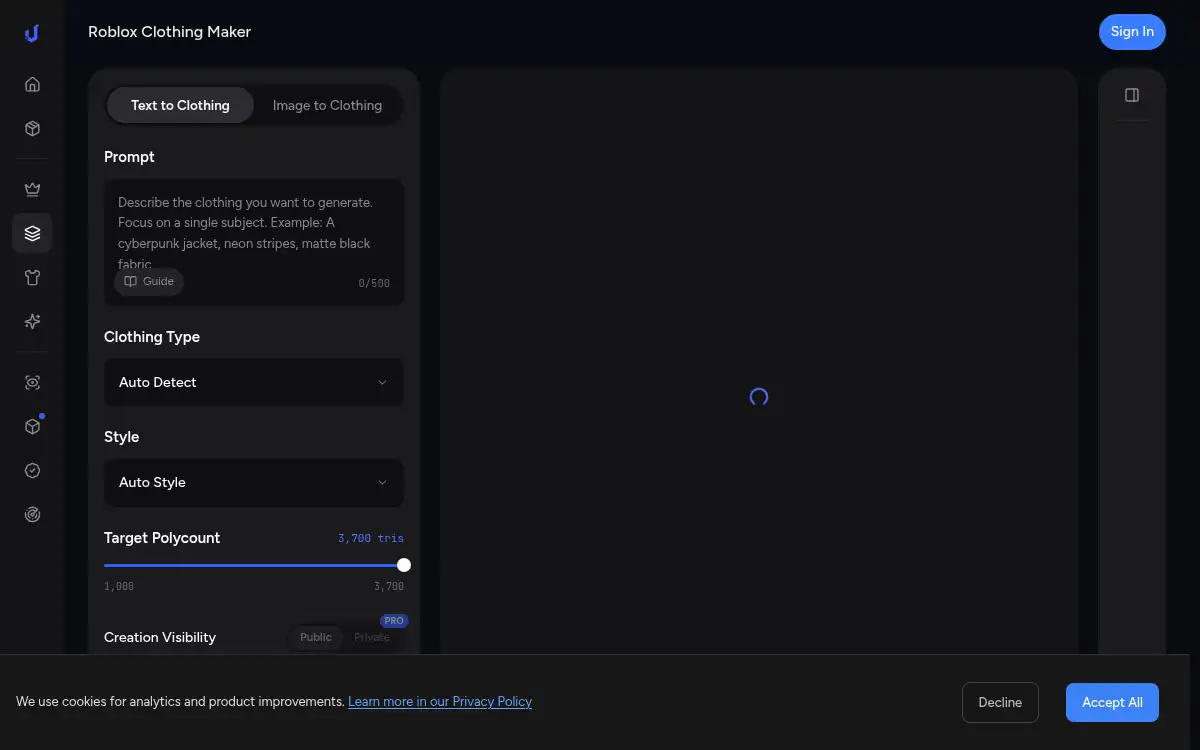
UGCraft Clothing Maker is an AI tool for Roblox UGC creators that converts text descriptions or reference images into layered clothing 3D models optimized for games. Creators skip early Blender modeling, generate garment geometry with textures, export FBX or GLB, then refine and fit in Roblox Studio for Marketplace layered clothing. A free plan is available. It targets Roblox clothing designers who want faster concept-to-3D starts without learning a full DCC pipeline.
How to use UGCraft Clothing Maker?
- 1. Open ugcraft.ai and go to the Roblox Clothing Maker
- 2. Enter a detailed text prompt (colors, silhouette, patterns) or upload a reference image/sketch
- 3. Generate the AI 3D clothing model and explore variations as needed
- 4. Download FBX or GLB for the design you like
- 5. Import into Roblox Studio, use Accessory Fitting Tool for layered clothing, then publish to Marketplace
Core Features
- • Text & image to 3D clothing — Describe designs or upload references for layered garments
- • No Blender required for the first draft — AI builds starting geometry and textures
- • Game-ready topology focus — Polygon counts aimed at Roblox layered clothing workflows
- • FBX / GLB export — Hand off to Studio for fitting and Marketplace setup
- • Free plan available — Start generating without a paid seat
- • Part of UGCraft studio — Companion accessory, shirt, emote, and UGC checker tools
- • Marketplace-oriented path — Concept to 3D in minutes, then Studio refine
Use Cases
- • UGC creators prototyping hoodies, cargo pants, or techwear looks for Roblox
- • Designers testing multiple clothing directions before Studio polishing
- • Beginners who want a 3D garment start without learning Blender first
- • Teams generating reference meshes from mood-board images
- • Marketplace sellers accelerating the concept phase of layered clothing