Image to Image
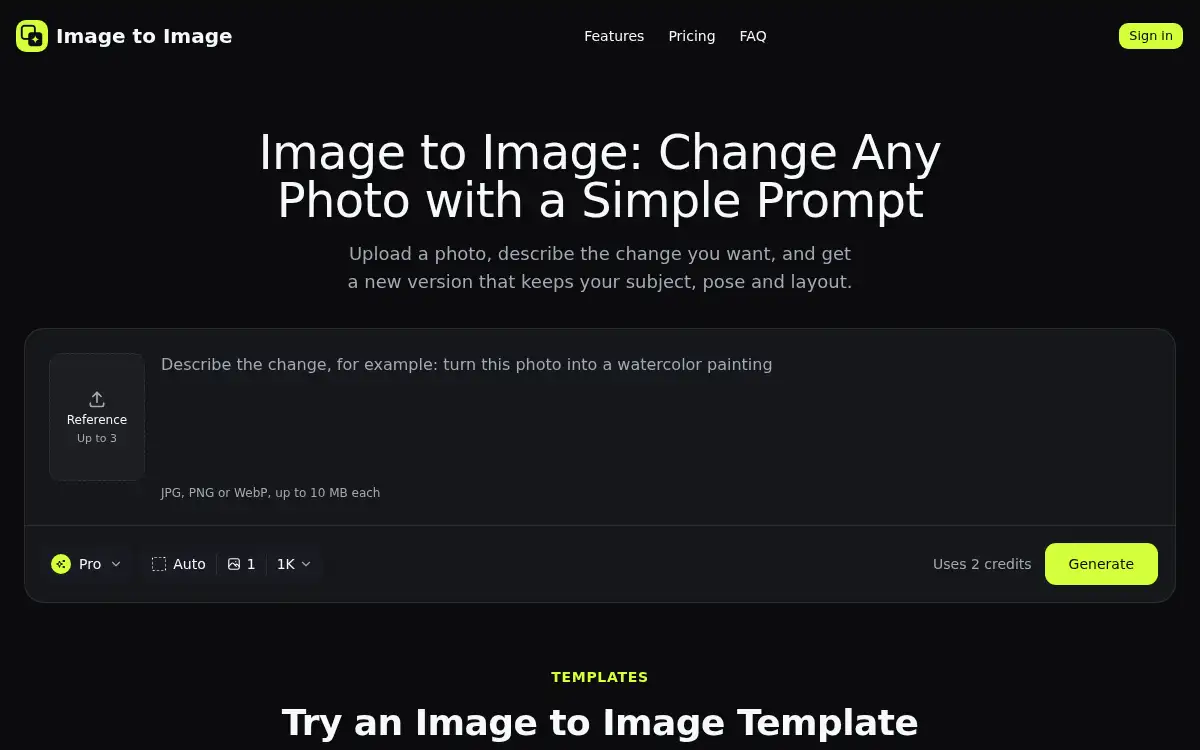
Open SiteImage to Image is an AI photo editor: upload a picture, describe the change you want, and get a new image that keeps the subject, pose, and layout. New accounts get 2 free credits; Fast, Pro, and Pro HD (2048 px) modes are available after you sign in.
Added on November 17, 2026
Product Information
What is Image to Image?
Image to Image is a prompt-based photo editor at imagetoimage.tools. You upload a JPG, PNG, or WebP (up to 10 MB), write what should change and what should stay, or pick a template such as anime portrait, 3D cartoon pet, oil-style painting, or a white-background product shot, and the tool returns a new picture that still looks like yours. You can add up to three reference images to combine a person, an object, and a style. Generate in Fast, Pro, or Pro HD (2048 px); most results are ready in under a minute, and Edit this result sends the new image back in for another pass. You can upload and write a prompt without an account, but generating requires a Google or email sign-in. New accounts get 2 free credits (enough for one Pro edit); Fast uses 1 credit, Pro uses 2, and Pro HD uses 3. Failed edits return the credits.
How to use Image to Image?
- 1. Open imagetoimage.tools and upload a JPG, PNG, or WebP photo (up to 10 MB); add up to three reference images if you want to combine a person, an object, and a style
- 2. Describe the change in a prompt, or pick a template such as Anime Portrait, White Background Product Photo, or 3D Cartoon Pet
- 3. Sign in with Google or email if you have not already, then choose Fast, Pro, or Pro HD and press Generate
- 4. Compare before and after, then download the image or use Edit this result to change the background, lighting, or style in another pass
- 5. If the first result is close but not right, adjust one word in the prompt and run it again
Core Features
- • Prompt-based edits — Change a background, shirt color, or season in plain words while the subject, pose, and layout stay in place
- • One-click style templates — Anime, 3D cartoon, pop art, pencil sketch, watercolor, product, and room-makeover prompts load a sample or start from your photo
- • Fast, Pro, and Pro HD — Pro HD outputs a 2048-pixel image for store pages or print; Fast is the quicker, lower-credit option
- • Up to three references — Combine a person, an object, and a style in one generate
- • Iterative editing — Edit this result sends the new image back into the editor; recent images stay in history for 7 days
- • 2 free credits to start — Enough for one Pro edit; failed jobs return credits, and paid plans or credit packs are available after that
Use Cases
- • Turn a selfie into an anime, cartoon, or sketch avatar for a profile or team chat
- • Place a product on a white background or a lifestyle scene without a studio shoot
- • Restyle a pet or family photo as a watercolor or 3D cartoon for a card or wallpaper
- • Test a room, outfit, or character direction by running one reference photo through several styles