M3U8 to MP4
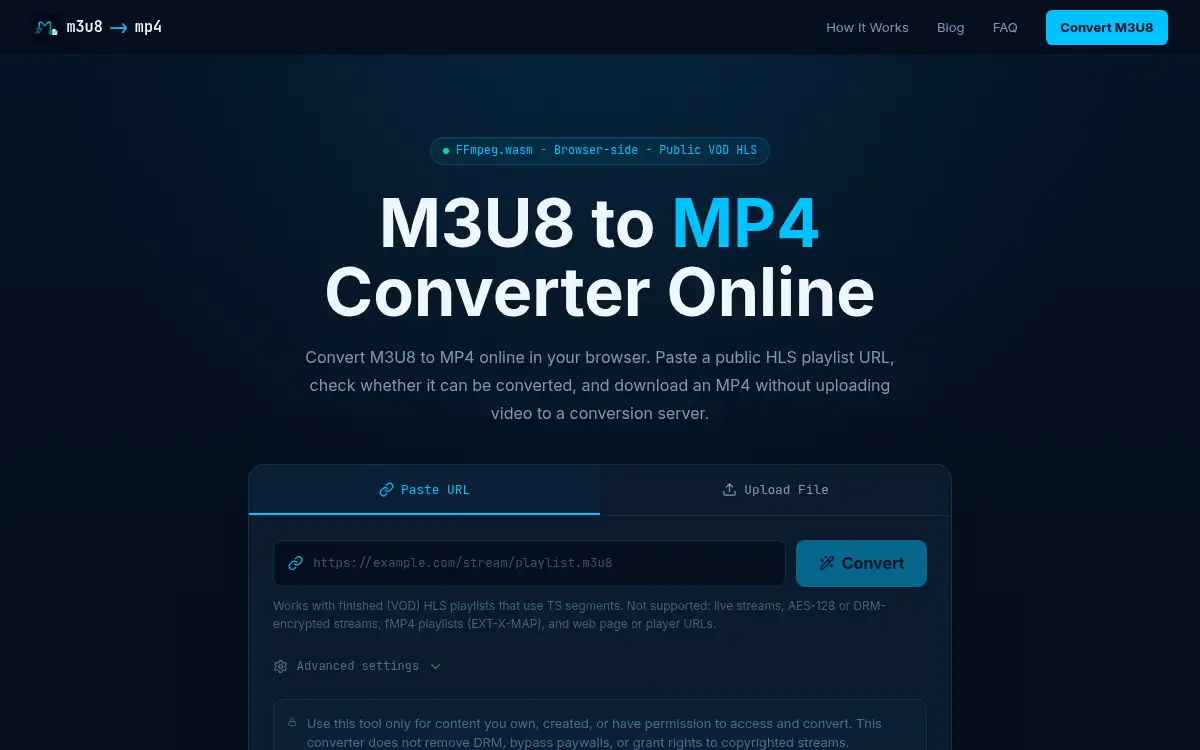
Open SiteM3U8 to MP4 is a free browser converter that turns a public HLS playlist into an MP4 with FFmpeg.wasm, so the video is not uploaded to a conversion server. It is built for finished, unencrypted TS VOD playlists that you own or have permission to convert.
Added on November 22, 2026
Product Information
What is M3U8 to MP4?
M3U8 to MP4 (m3u8-tomp4.com) is a privacy-first online HLS tool: you paste a public M3U8 URL, or upload a local playlist whose segment URLs are absolute, and the conversion runs in the browser with FFmpeg.wasm. It is meant for finished (VOD) playlists that use TS segments and include #EXT-X-ENDLIST. Live streams, AES-128 or DRM-encrypted playlists, fMP4 playlists that use EXT-X-MAP, byte-range playlists, and ordinary web page or player URLs are rejected with an explicit message instead of hanging. When a master playlist is offered, quality variants are listed first. The tool tries MP4 stream copy to avoid quality loss, then re-encodes only when compatibility requires it. Cross-origin fetches still need the remote server to allow CORS; if it does not, the site points you to a local FFmpeg CLI for streams you are allowed to convert. Use it only for content you own, created, or may convert — it does not remove DRM or bypass paywalls.
How to use M3U8 to MP4?
- 1. Open m3u8-tomp4.com and paste a public M3U8/HLS URL, or upload a local playlist that uses absolute segment URLs
- 2. Let the tool validate the playlist: it checks for master variants, live streams, AES-128 keys, fMP4, byte ranges, and CORS errors, and stops with a clear message if the stream is unsupported
- 3. If a master playlist is present, pick the quality variant you want
- 4. Start the conversion; FFmpeg.wasm muxes or re-encodes locally in the browser, preferring stream copy when it can
- 5. Download the MP4 to your device — no video file is uploaded to their conversion server
Core Features
- • In-browser FFmpeg.wasm — Conversion runs locally; no video upload to a conversion server is required
- • Public TS VOD playlists — Best fit is a finished public or self-owned HLS playlist with TS segments and #EXT-X-ENDLIST
- • Explicit unsupported cases — Live streams, AES-128, DRM, fMP4 (EXT-X-MAP), byte-range playlists, and web page/player URLs are rejected instead of looping
- • Stream copy first — Mux to MP4 without re-encoding when possible, then re-encode only for compatibility
- • Master playlist handling — Quality variants are listed so you can choose a rendition before converting
- • Clear limits — No DRM or paywall bypass; CORS must be allowed by the remote host, otherwise use FFmpeg CLI for streams you are permitted to convert
Use Cases
- • Save a finished public or self-hosted HLS VOD you own as a portable MP4 without uploading the video
- • Convert a local M3U8 playlist with absolute TS segment URLs entirely in the browser
- • Check whether a playlist is convertible (live, encrypted, fMP4, or CORS-blocked) before you start a long download
- • Keep a stream-copy MP4 when you want to avoid a re-encode quality loss