Unlimited OCR
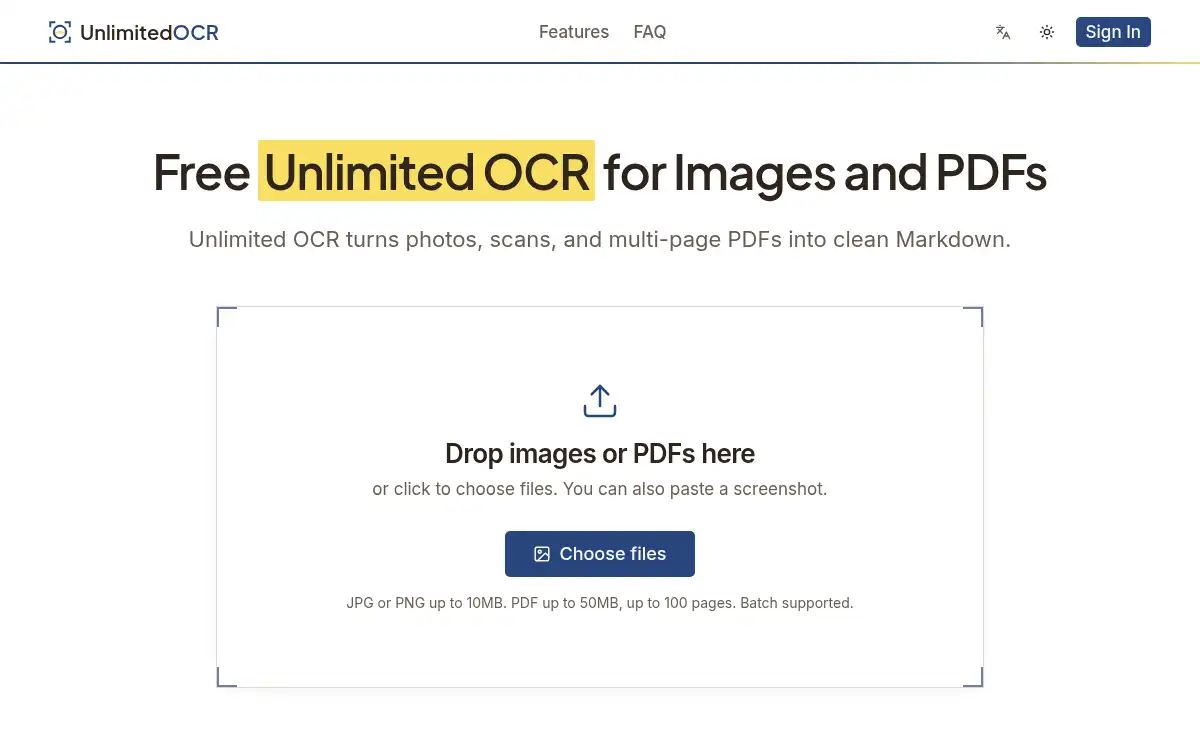
Open SiteUnlimited OCR is a free, no-signup browser tool that turns images and multi-page PDFs into clean Markdown. It keeps tables, headings, and reading order intact, and supports batch uploads and mixed-language pages.
Added on November 13, 2026
Product Information
What is Unlimited OCR?
Unlimited OCR is a web app for extracting editable text from photos, screenshots, scans, and multi-page PDFs. You drop in JPG or PNG files (up to 10MB) or PDFs (up to 50MB and 100 pages), and the cloud engine returns Markdown or plain text with headings, lists, tables, and LaTeX formulas preserved. Batch upload runs each file as its own job so one slow document does not block the rest. Language detection is automatic, including mixed Chinese and English on the same page. There is no account, no daily cap, and files are not stored after processing.
How to use Unlimited OCR?
- 1. Open unlimited-ocr.com in your browser — no account is required
- 2. Drag in one or more JPG, PNG, or PDF files, or paste a screenshot
- 3. Complete the quick check if asked, then wait while each file is parsed in the cloud
- 4. Preview the result and copy or download it as Markdown or TXT; tables stay as rows you can paste into a spreadsheet
- 5. For a batch, download each result separately or as one merged file
Core Features
- • Image to text — Convert screenshots, scans, photos, whiteboards, and receipts (JPG or PNG) into editable text
- • Long-document PDF OCR — Turn scanned contracts, reports, and book chapters into searchable Markdown with reading order kept across columns and pages
- • Free and unlimited — No account, no card, and no daily cap; the free version is the complete product
- • Batch upload — Drop several files at once; each job returns on its own
- • Multilingual — Automatic detection for mixed-language pages, including Chinese and English
- • Structured tables and formulas — Tables come back as Markdown rows; formulas stay as LaTeX
- • Privacy-minded processing — Files travel over encrypted connections and are not stored after the job completes
Use Cases
- • Students and researchers turning scanned papers and lecture slides into Markdown notes
- • Finance and operations teams extracting vendor, date, and totals from receipts and invoices
- • Legal and admin staff making scanned contracts searchable
- • Developers and AI builders feeding structured Markdown into RAG pipelines or agents
- • Analysts recovering spreadsheet-ready tables from financial statements and reports