Keyboard Tester
Open SiteKeyboard Tester is a free, no-signup browser tool for checking a keyboard in real time. It shows a full 104-key visualizer with press history and remaining-key tracking, plus separate ghosting and double-type tests for Windows and Mac layouts.
Added on November 24, 2026
Product Information
What is Keyboard Tester?
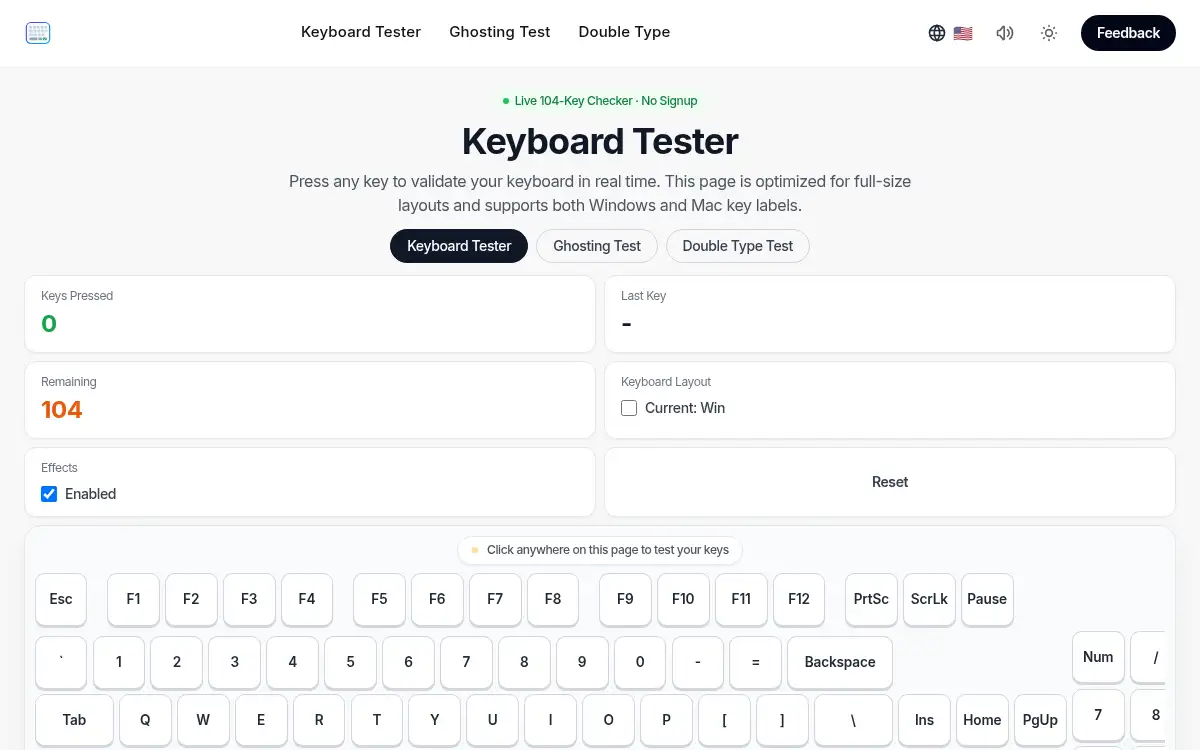
Keyboard Tester (keyboardtester.vip) is a browser-based diagnostic for verifying that keys register correctly without installing desktop software. The main page is a live 104-key visualizer: you press keys, see them light up, and track how many are still untested, with a history of what was pressed. You can switch key labels between Windows and Mac layouts. Two companion tests cover different failure patterns: Ghosting checks whether simultaneous key combinations drop inputs (multi-key rollover), and Double Type looks for chatter — a key firing twice too quickly. Input is processed in the session for on-page feedback; the core tools are free and do not require an account. Some Fn-layer or media shortcuts may never reach the browser even when the hardware is fine, so this is a registration check, not a firmware-level diagnosis.
How to use Keyboard Tester?
- 1. Open keyboardtester.vip in a modern browser — no install or account is required
- 2. Click the page, switch the layout labels to Windows or Mac to match your board, and press keys; the visualizer marks each key and counts how many remain
- 3. Review the key-history panel if you need to confirm whether a key appeared once, repeatedly, or not at all
- 4. Open the Ghosting Test to hold several keys at once and see whether combinations are dropped, or the Double Type test to check for rapid duplicate presses
- 5. Use the results to decide a next step — cleaning a switch, reseating a cap, checking a cable or Bluetooth connection, or moving on to vendor tools if the problem looks like firmware rather than registration
Core Features
- • Live 104-key visualizer — Press any key and see it register in real time, with a remaining-key count so you know what is still untested
- • Key history — A chronological trail of presses to confirm whether a key appeared once, repeatedly, or never
- • Windows and Mac layouts — Switch label mode so the on-screen board matches the platform you are testing
- • Ghosting test — Checks simultaneous key combinations and multi-key rollover limits
- • Double Type test — Detects chatter, when a key produces a second event too quickly under a defined threshold
- • No install or signup — Runs in the browser; the core tools are free
- • Session-local input — Keystrokes are used for on-page feedback and are not sold as personal data
Use Cases
- • Run a quick pass before a stream, interview, or gaming session to confirm every important key still registers
- • After cleaning or replacing keycaps, walk the remaining-key list so a stabilizer or switch was not left unseated
- • Check ghosting when chorded shortcuts or game inputs drop, or use Double Type when a key feels like it is repeating on its own
- • Share a specific result with a repair shop or teammate — for example, that one key group never registers — instead of only saying the keyboard feels broken