MyAIVideo
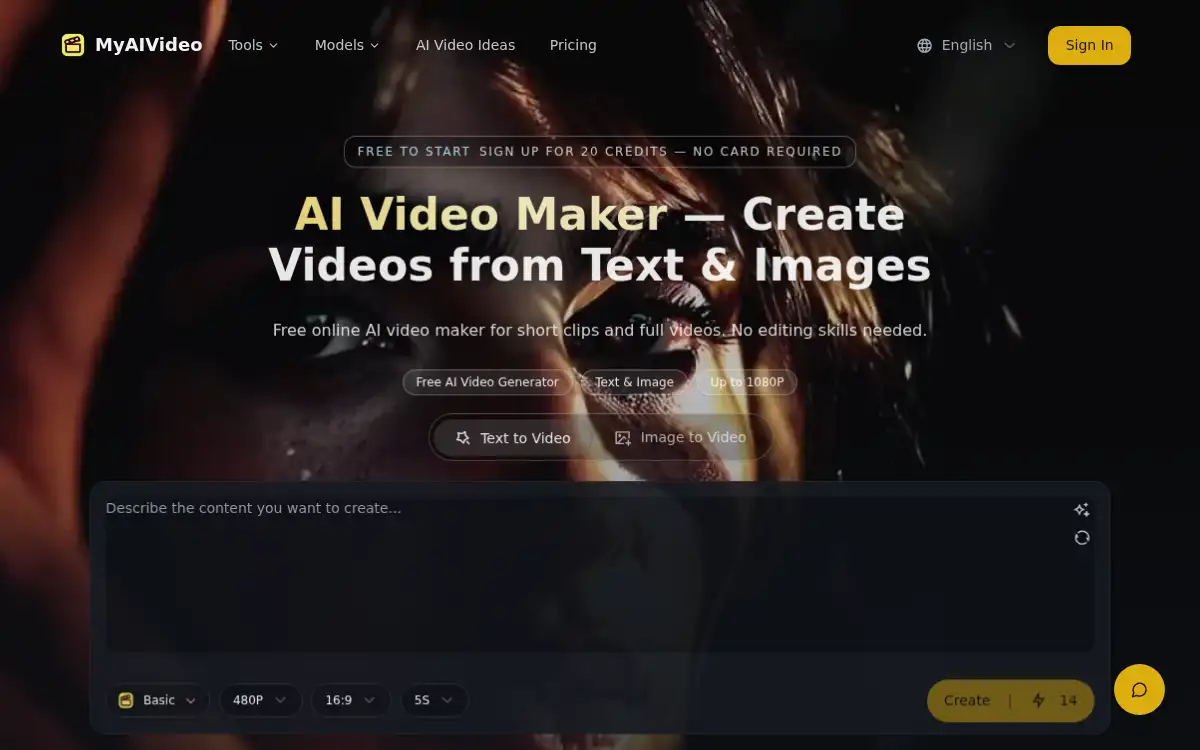
Open SiteMyAIVideo is a free online AI video maker that turns a text prompt or still image into a short MP4, or builds a longer publish-ready video with a script, voiceover, captions, and music. New accounts get 20 credits with no credit card, and no desktop editor is required.
Added on November 26, 2026
Product Information
What is MyAIVideo?
MyAIVideo (myaivideomaker.com) is a browser-based AI video maker with two workflows. Quick Clip turns a written scene into a short text-to-video MP4, or animates an uploaded JPG, PNG, or WEBP still. Full Video takes one idea and a target platform, then drafts a script, adds voiceover, captions, and music, and assembles a longer publish-ready MP4. Outputs can be planned in 9:16, 16:9, and 1:1. Signing up gives 20 free credits with no credit card; browsing the page or filling a prompt does not use credits, and the signup bonus is described as enough for one generation. Results are saved in History. Paid monthly, yearly, and one-time plans add credits and unlock higher-resolution exports, watermark-free downloads, and commercial use where applicable. Monthly examples include Basic at $19.9 for 1,300 credits, Plus at $49.9 for 3,400 credits, and Pro at $99 for 6,900 credits.
How to use MyAIVideo?
- 1. Open myaivideomaker.com and sign up for 20 free credits (no credit card required)
- 2. Choose Quick Clip for a short social video, or Full Video for a longer piece with script, voiceover, captions, and music
- 3. For a clip, write the scene, camera move, and mood, or upload a still photo; for Full Video, share the topic, audience, and target platform such as YouTube or TikTok
- 4. Generate the video, preview the result, and download the MP4 when it finishes
- 5. Find earlier results in History, and buy more credits or a plan if you need additional runs, higher-resolution exports, or commercial rights
Core Features
- • Text-to-video Quick Clips — Type a scene description and get a short MP4 aimed at TikTok, Reels, Shorts, and fast ad teasers
- • Image-to-video animation — Upload a JPG, PNG, or WEBP product photo, portrait, or thumbnail and add motion while keeping the source frame recognizable
- • Full Video assembly — One idea can produce a structured video with a drafted script, narration, captions, visuals, and background music
- • Multiple aspect ratios — Plan for 9:16, 16:9, and 1:1 outputs to fit vertical, widescreen, and square feeds
- • 20 free signup credits — New accounts receive 20 credits with no credit card; browsing and trying prompts does not use credits
- • History library — Generated results are saved so you can view and download them later
- • Paid credit plans — Monthly, yearly, and one-time packs add credits; paid tiers unlock higher-resolution and watermark-free exports plus commercial use where applicable
Use Cases
- • Draft a vertical social clip from a one-line hook without filming
- • Animate an existing product photo or thumbnail for an ad or shop post
- • Produce a narrated explainer or course clip from one topic prompt, with captions and music already assembled
- • Try one generation on the 20 free signup credits before buying a plan
- • Export in 9:16, 16:9, or 1:1 depending on whether the destination is Reels, YouTube, or a square feed