Vogoo AI
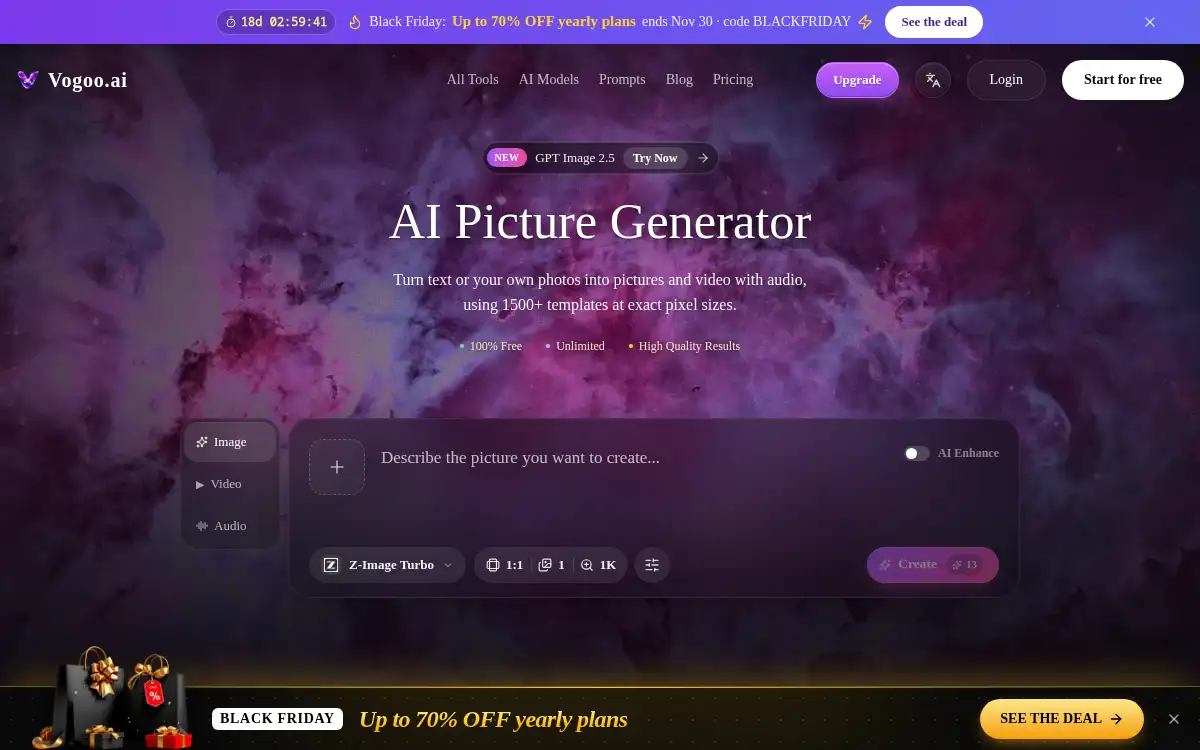
Open SiteVogoo AI is an online studio that turns text or photos into pictures and short videos with audio. It offers many image and video models, 1,500+ prompt templates, exact pixel sizes, and a free starting balance.
Added on November 12, 2026
Product Information
What is Vogoo AI?
Vogoo AI is a browser studio for generating and editing pictures, then turning them into short videos with audio in the same workspace and credit balance. You can start from a text prompt or an uploaded photo, pick exact pixel sizes and aspect ratios, and use more than 1,500 prompt templates. The site lists a wide set of image and video models, including options such as Seedream, GPT Image, Kling, Seedance, Veo, Wan, and Flux, plus tools for background removal, upscaling, image-to-image restyles, motion control, and image-to-video. Related workflows cover music and audio, such as text-to-music and music videos. New users can try the picture generator free, and the site says outputs can be made without a watermark. An optional AI Enhance step can add detail to short prompts.
How to use Vogoo AI?
- 1. Open vogoo.ai and start in the AI Picture Generator; sign up if you want the free credits
- 2. Type a prompt or upload a photo, then choose a model, aspect ratio, and pixel size
- 3. Optionally pick a prompt template or turn on AI Enhance for a short prompt
- 4. Generate the picture, then edit it in the same studio with tools such as background removal, upscaling, or image-to-image
- 5. If you want motion, use image-to-video or another video tool in the same workspace and download the result
Core Features
- • Text or photo input — Generate a new picture from a prompt, or restyle a photo you already have
- • Many models in one studio — Image and video models such as Seedream, GPT Image, Kling, Seedance, Veo, Wan, and Flux
- • Exact sizes — Set aspect ratio and pixel dimensions instead of a generic square only
- • 1,500+ prompt templates — Ready-made prompts for common picture and video jobs
- • Image-to-video with audio — Animate a still and add sound in the same workspace
- • Editing tools — Background remover, upscaler, image-to-image, and motion control
- • Free start — Try the generator with a starting balance; the site offers no-watermark picture output
Use Cases
- • Creators who want text-to-image and photo restyles without leaving the browser
- • Turning a still into a short video with audio for social posts
- • Design tasks that need exact pixel sizes, such as banners, headers, or album covers
- • Iterating on a character or product look with templates and image-to-image
- • People who want image, video, and some audio tools on one credit balance