AI Room Redesign
Open SiteAI Room Redesign turns a photo of a bedroom, living room, or other space into new interior (and outdoor) design concepts. Upload a picture, pick a style, and compare visual directions before you buy furniture, paint, or hire a designer. New accounts can claim free credits.
Added on November 18, 2026
Product Information
What is AI Room Redesign?
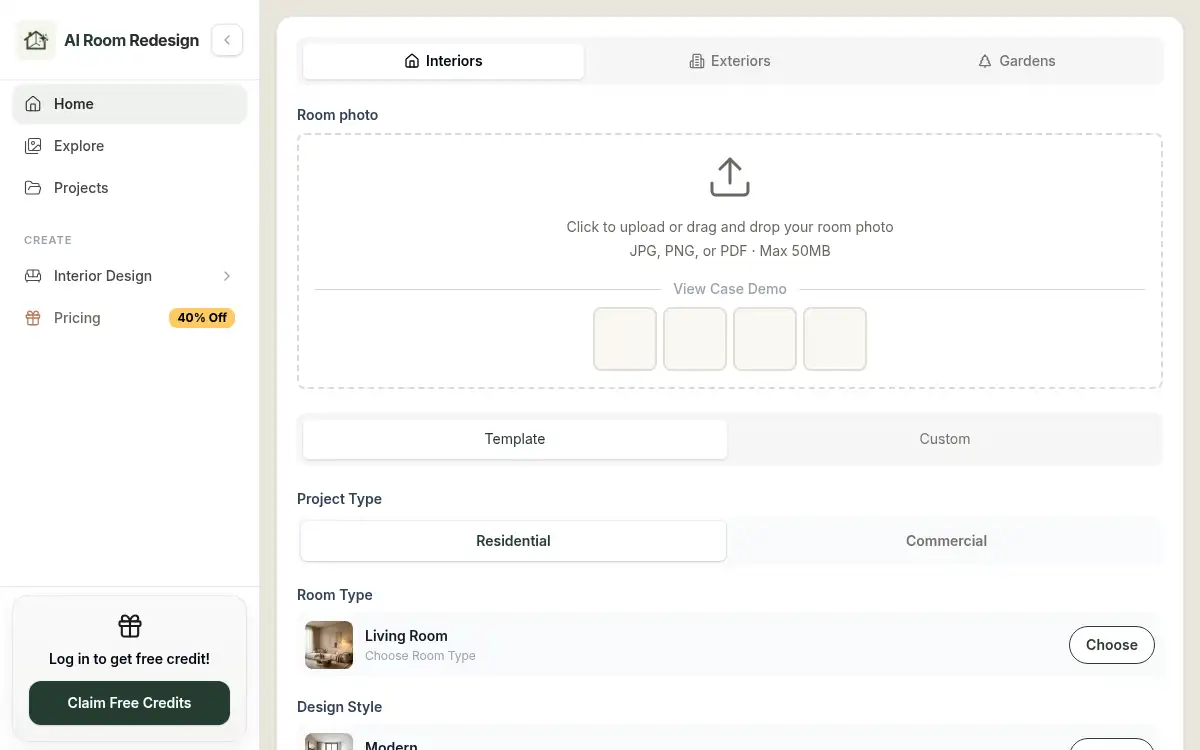
AI Room Redesign is a photo-based interior design studio at airoomredesign.net. You upload a JPG, PNG, or PDF (up to 50 MB) of a real room, choose a room type, design style, lighting, and optional elements, and can keep existing furniture in the result. The same studio also has exterior and garden workflows, plus dedicated flows for bedrooms, bathrooms, ceilings, and classrooms. Generated images are visual concepts, not construction drawings. Basic generation uses 1 credit; you can log in to claim free credits, then buy one-time packs whose credits never expire, or optional monthly or yearly plans. A before-and-after slider helps you compare styles before committing to a makeover.
How to use AI Room Redesign?
- 1. Open airoomredesign.net and upload a JPG, PNG, or PDF photo of the room, facade, or garden you want to redesign (up to 50 MB)
- 2. Set the project type (residential or commercial), room type, design style, lighting, and optional elements; turn on Keep existing furniture if you want current pieces to stay
- 3. Sign in if you have not already — new accounts can claim free credits — then generate a Basic concept (1 credit)
- 4. Review the before-and-after result, download it, and try other styles or lighting until you have a direction you like
- 5. Use the saved concepts as inspiration before shopping, painting, or talking to a contractor; they are visual previews, not building plans
Core Features
- • Photo-based redesigns — Start from your actual room instead of a generic mood board or empty 3D model
- • Style and lighting controls — Choose room type, interior style, lighting, and optional elements to steer each render
- • Keep existing furniture — Preserve current pieces when you only want to test paint, decor, or layout ideas
- • Interiors plus outdoors — The same studio covers bedrooms, living rooms, bathrooms, and ceilings, as well as exterior and garden workflows
- • Before-and-after comparison — Review the original photo next to the concept and iterate until a direction feels right
- • Free credits, then packs or plans — Log in to claim a starter amount; Basic generation costs 1 credit, and one-time pack credits never expire
Use Cases
- • Compare bedroom or living-room styles before buying furniture, paint, or a rug
- • Preview bathroom tile, vanity, or ceiling lighting ideas from a photo of the current space
- • Test exterior paint or garden seating layouts on a facade or yard photo before hiring a contractor
- • Give clients or a household two visual directions from the same photo instead of an abstract mood board