Sprite Flow
Open SiteSprite Flow is an AI sprite generator for 2D games: upload or design a character, then produce walk, idle, and combat loops plus sprite sheets and JSON atlases. It is built for Unity, Godot, and indie developers who need consistent animations without frame-by-frame drawing.
Added on November 19, 2026
Product Information
What is Sprite Flow?
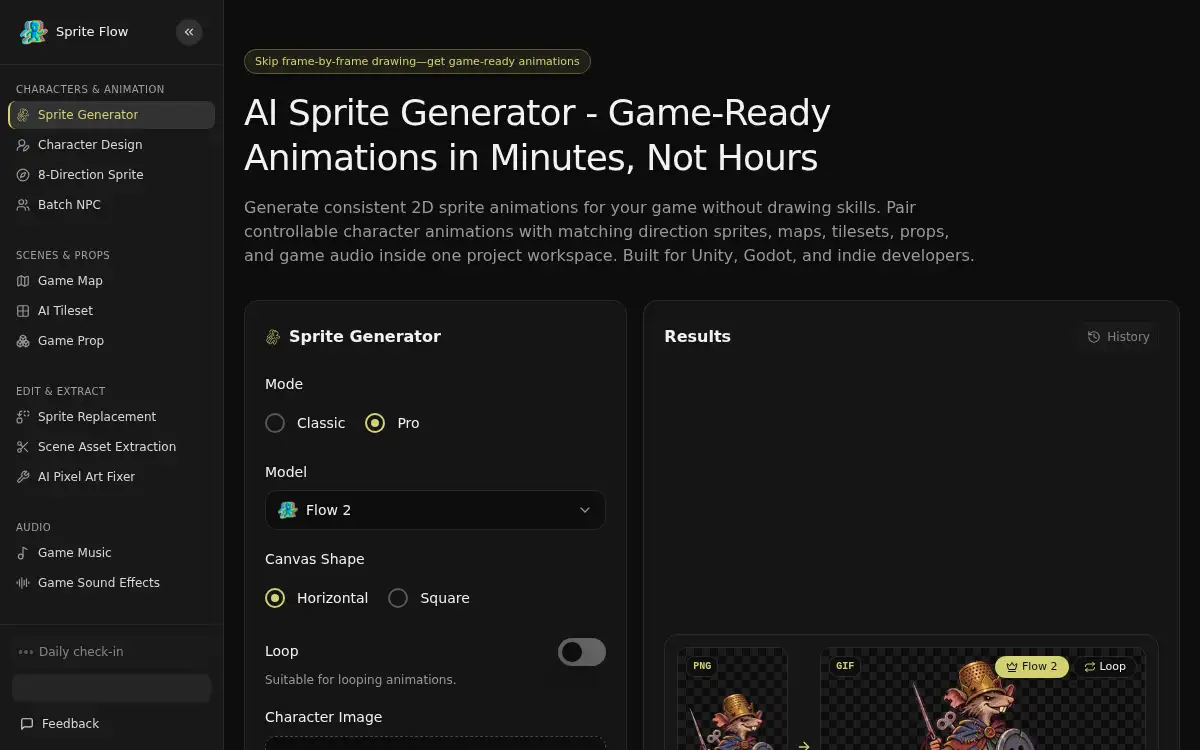
Sprite Flow is a browser-based AI sprite studio at spriteflow.io. Upload a character image or design one in a style such as 16-bit pixel, anime, chibi, or hand-painted, then generate controllable animation sequences anchored to that reference so proportions, outfits, and colors stay consistent. Classic mode produces 4 to 16 frames; Pro mode produces 32-frame loops at 8 FPS. You can refine frame alignment in a built-in onion-skin editor, preview loops in the browser, and export transparent PNG sprite sheets, numbered frame PNGs, and Aseprite-compatible JSON for Unity, Godot, Unreal Engine, or Phaser. The same workspace also covers 4- and 8-directional views, maps, tilesets, props, and game audio. You can start with starter credits to test animations; downloads and higher allowances need a monthly plan or a non-expiring credit pack.
How to use Sprite Flow?
- 1. Open spriteflow.io and upload a character image, or design one in Character Design with a style preset or your own reference art
- 2. Choose an action such as walk, idle, run, attack, or jump, and pick Classic (4–16 frames) or Pro (32 frames at 8 FPS)
- 3. Generate the loop, preview it in the browser, and adjust frame alignment in the onion-skin editor if needed
- 4. Add matching directional views, variants, or other project assets if your game needs them
- 5. Download a transparent PNG sprite sheet and numbered frames, plus Aseprite-compatible JSON for Pro sheets, and import them into Unity, Godot, Unreal Engine, or Phaser (downloads require an active subscription or credit pack)
Core Features
- • Reference-guided consistency — Anchor every animation to your character image so proportions, outfits, and details stay aligned from frame to frame
- • Classic and Pro animation modes — Generate 4–16 frame loops or 32-frame sequences at 8 FPS, then refine alignment in an onion-skin editor
- • Engine-ready exports — Transparent PNG sprite sheets, sliced frames, and Aseprite-compatible JSON for Unity, Godot, Unreal Engine, and Phaser
- • 4- and 8-directional views — Create top-down and isometric turnarounds from one character base
- • Variants without redrawing — Recolor parts or swap equipment while keeping poses and sheet layouts aligned
- • Starter credits, then plans or packs — Preview animations for free; unlock downloads with monthly plans or non-expiring credit packs
Use Cases
- • Build walk, idle, and combat sheets for a game-jam or prototype character without hiring a pixel artist
- • Generate 8-directional NPC sprites with a consistent style for a top-down or isometric RPG
- • Create outfit, color, or equipment-tier variations for a mobile or idle game from one approved character
- • Export Aseprite-compatible sheets and drop frames into Unity Sprite Editor or Godot AnimatedSprite2D