Image2STL
Open SiteImage2STL is a free, in-browser image-to-STL converter for 3D printing. It turns a PNG, JPG, WebP, or SVG into a 2.5D relief, silhouette cutout, vector extrusion, or flat lithophane, then lets you preview and download the mesh. Your file is processed locally and no account is required.
Added on November 20, 2026
Product Information
What is Image2STL?
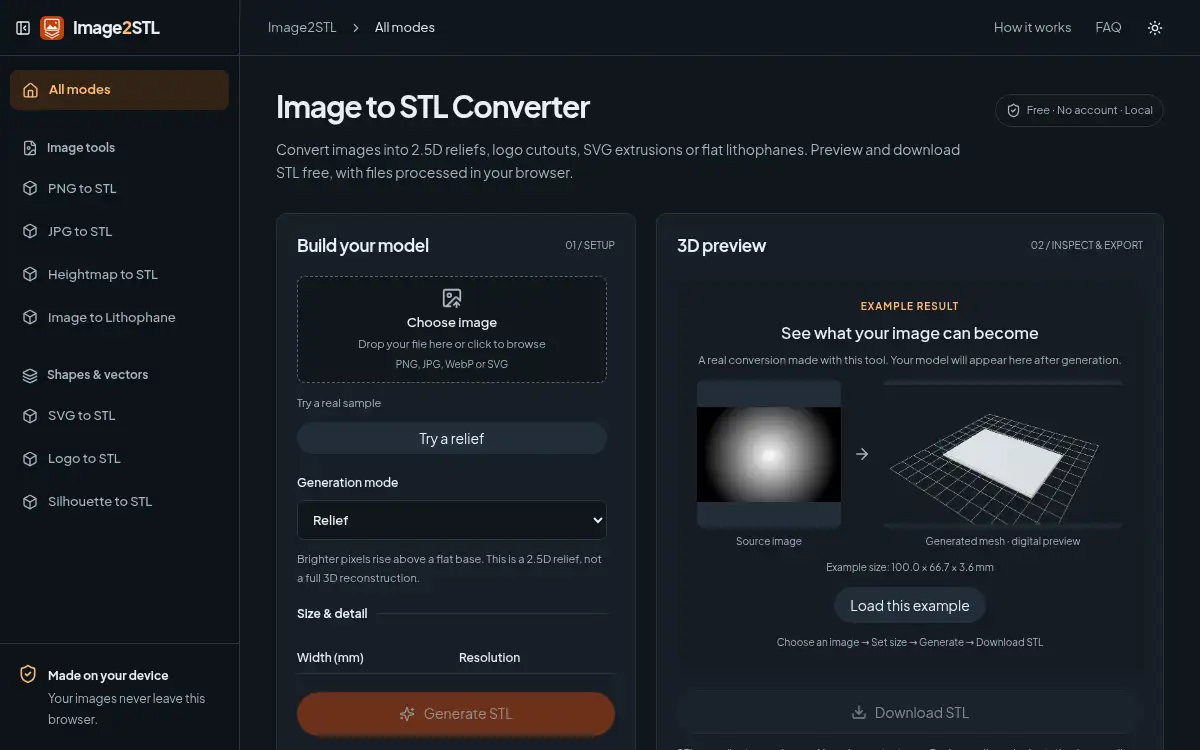
Image2STL (image2stl.app) is a free browser tool for turning everyday images into printable STL meshes. It does not reconstruct a full sculpture from a single photo. You pick a mode that interprets the file: Relief raises brighter pixels above a rectangular base; Silhouette extrudes an outline and leaves the background empty; SVG uses prepared vector contours; and Lithophane thickens darker areas so they block more light. You set size in millimeters, generate the mesh, inspect a 3D preview, and download STL with coordinates intended as millimeters. Decoding, mesh generation, validation, and export run on your device; the site says it never uploads your file, and no account is required. STL has geometry only (no color or textures); closed-mesh checks do not guarantee every thin feature will print; and conversion does not grant image or trademark rights. Sample files were checked in Bambu Studio and PrusaSlicer as slicing evidence, not as a printability guarantee for every setting.
How to use Image2STL?
- 1. Open image2stl.app and drop in a PNG, JPG, WebP, or SVG, or try one of the built-in sample images
- 2. Choose a mode — Relief, Lithophane, Silhouette, or SVG vector extrude — that matches the object you actually want to print
- 3. Set the width in millimeters and the thickness, resolution, and other parameters for that mode
- 4. Generate the mesh, rotate the 3D preview, and confirm the reported size and closed geometry
- 5. Download the STL, open it in your slicer, check dimensions in millimeters, orientation, holes, and thin details, then slice for your printer
Core Features
- • Four conversion modes — Relief, lithophane, silhouette cutout, and SVG extrusion, each a different physical reading of the same kind of source file
- • Local processing — Decoding, generation, validation, and STL export run in the browser; your image is not uploaded
- • Millimeter sizing — Set width and thickness so the downloaded STL is intended to open at real-world dimensions in a slicer
- • Interactive 3D preview — Inspect the mesh before you download; if WebGL preview fails, a validated STL can still be saved
- • Worked examples — Repeatable sample conversions with recorded settings, triangle counts, and downloadable source and STL files
- • Format and size limits — PNG, JPG, WebP, and prepared SVG; desktop up to 20MB / 8 million pixels, touch phones 10MB / 4 million pixels, SVG 1MB with bounded complexity
- • Free and no account — Use the converter in the browser without signing up
Use Cases
- • Photo or logo reliefs — Turn a clear tonal image or emblem into a shallow plaque or raised surface for 3D printing
- • Cutouts and signage — Extrude a transparent outline or prepared SVG into a flat logo, stencil, or shape with an empty background
- • Lithophane panels — Map a photo to a light-transmitting thickness pattern for a backlight panel
- • Checking a first conversion — Generate a sample, download the STL, and inspect dimensions and thin features in Bambu Studio, PrusaSlicer, or another slicer before you print