Printery
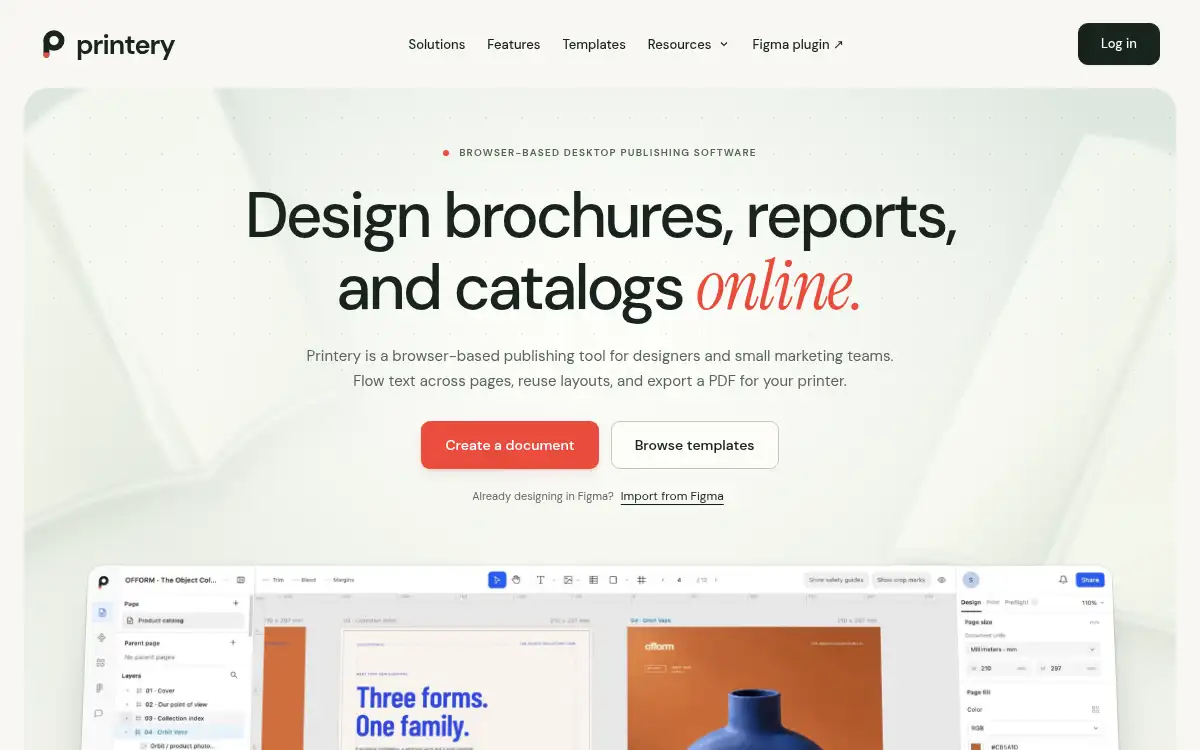
Open SitePrintery is a browser-based publishing tool for designers and small marketing teams. Design brochures, reports, and catalogs, import from Figma if you need to, and export print-ready RGB or CMYK PDFs.
Added on November 15, 2026
Product Information
What is Printery?
Printery is online desktop publishing software for multi-page print work in the browser, with no desktop app to install. Designers, studios, and small marketing teams can flow text across linked frames, reuse parent pages and paragraph or object styles, and keep typography connected when a paragraph grows or moves. Catalogs can be generated from a CSV by mapping fields and images, then refined in a new document. Built-in templates include an A4 studio brochure, annual report, and product catalog, with the editor available in English and Simplified Chinese. Before export, preflight flags missing fonts, low-resolution images, and overset text; you can set physical page sizes, bleed, crop marks, and RGB or CMYK output with an ICC profile. A separate Figma integration, Printery for Figma, can prepare and export PDFs in Figma, or you can bring supported designs into Printery on the web.
How to use Printery?
- 1. Open printery.app and start from a blank document or a built-in template, then set the page size and margins
- 2. Add text and images; link body text across frames, apply shared styles, and use parent pages for repeated elements
- 3. For a catalog, import a CSV, map fields and images, review missing resources, and refine the generated document
- 4. Run preflight and fix missing fonts, low-resolution images, or overset text
- 5. Export a print-ready PDF with the size, bleed, crop marks, and RGB or CMYK profile agreed with your printer
Core Features
- • Linked text and typography — Keep a story flowing across columns and pages with paragraph styles
- • Parent pages and shared styles — Carry type, color, and repeating details through a document
- • Catalog from CSV — Map product fields and images, then edit the generated pages
- • Built-in templates — A4 studio brochure, annual report, and product catalog to start from
- • Preflight — Flag missing fonts, low-resolution images, and overset text before export
- • Print-ready PDF — Physical sizes, bleed, crop marks, and RGB or CMYK with an ICC profile
- • Figma option — Use Printery for Figma, or import supported designs into the web editor
Use Cases
- • Design a studio or service brochure with consistent styles and parent pages
- • Lay out a multi-page report or annual review with linked text, page numbers, and a table of contents
- • Build a product catalog or price list from a CSV, then refine the generated spreads
- • Import a Figma design and finish print settings, bleed, and PDF export in the browser